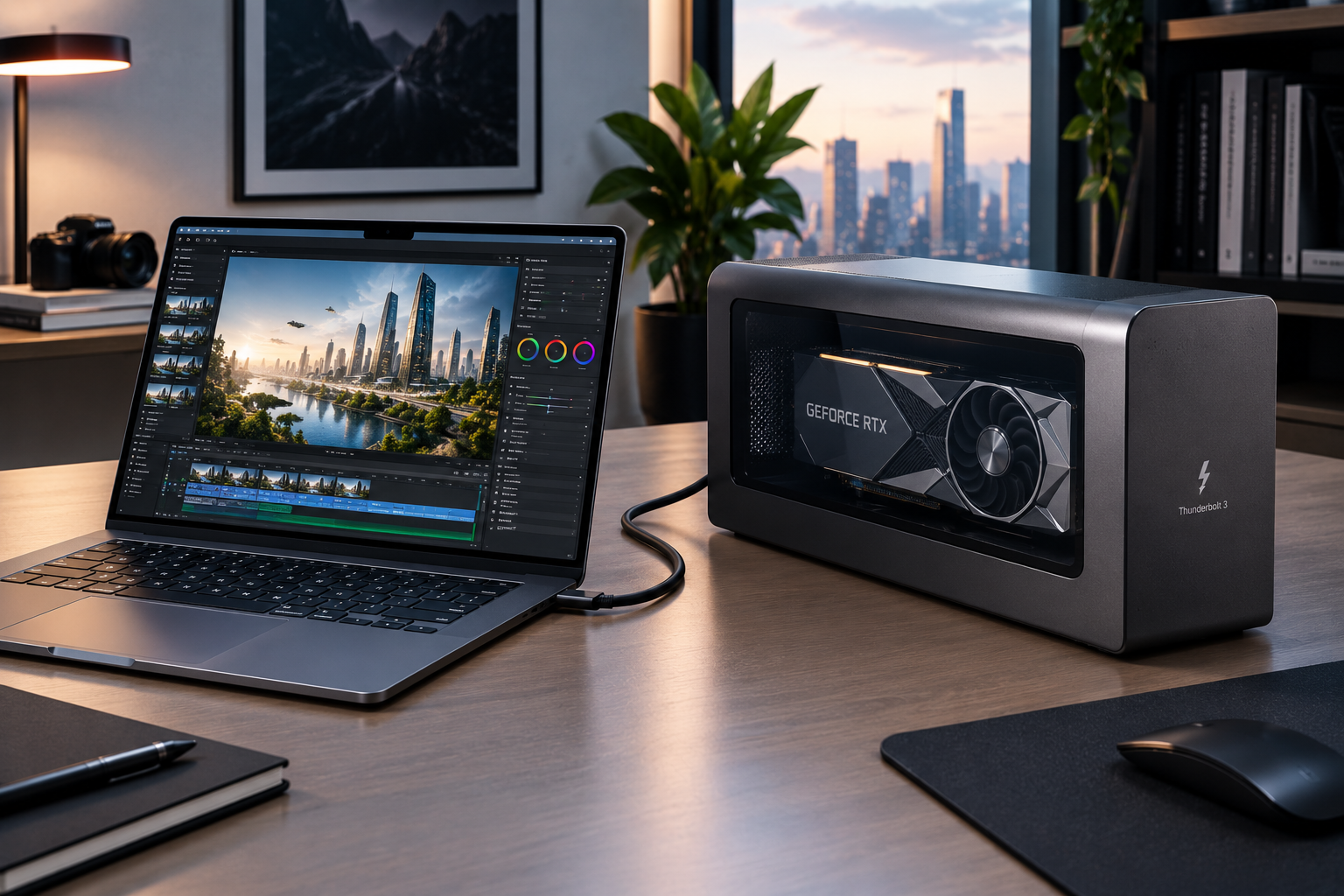

An eGPU, or external graphics processing unit, lets a compatible laptop or compact computer use a separate desktop-class graphics card through an external enclosure. Instead of installing the GPU inside the computer, the graphics card sits outside the system and connects through a high-speed interface such as Thunderbolt.
The concept is particularly useful for people who want stronger graphics performance without replacing a lightweight laptop. Gaming, 3D applications, video editing and other GPU-intensive workloads can benefit from additional graphics hardware, although the connection between the computer and external GPU introduces considerations that do not exist with an internal graphics card.
What Is an eGPU?
An eGPU is essentially a graphics card housed outside the computer. A typical setup consists of three main components: the external enclosure, the desktop graphics card and the connection cable linking the enclosure to the host computer.
The enclosure normally provides the power supply required by the graphics card and handles communication between the GPU and the computer. Some enclosures also include additional ports for displays, USB devices or networking.
Thunderbolt technology has helped make external graphics practical on compatible laptops. Intel specifically identifies external GPUs as a supported use case for Thunderbolt, allowing thin and light systems to gain additional graphics capabilities.
The important word is “compatible.” A USB-C connector by itself does not automatically mean a laptop can support an external graphics card.
How Does an eGPU Work?
The basic process is relatively straightforward.
Your laptop sends graphics-related data through the high-speed connection to the external enclosure. The graphics card processes that workload and sends the resulting frames back through the connection, usually to an external monitor or the laptop’s own display.
This arrangement gives a portable computer access to a dedicated GPU without permanently installing one inside the chassis.
The connection standard matters because an external GPU does not have the same direct PCIe connection as a desktop graphics card installed on a motherboard. Thunderbolt 4 and Thunderbolt 5 use PCIe tunnelling to communicate with external graphics hardware. Thunderbolt 5 increases the available bandwidth substantially compared with Thunderbolt 4. Intel lists up to 80 Gbps bidirectional bandwidth for Thunderbolt 5, with a bandwidth-boost mode reaching up to 120 Gbps for suitable workloads.
eGPU Connection Options
Different external GPU setups can use different interfaces. The most practical option depends on the computer and the enclosure.
| Connection | General Characteristics | Best Suited For |
|---|---|---|
| Thunderbolt 4 | Up to 40 Gbps; established eGPU ecosystem | Compatible laptops |
| Thunderbolt 5 | Up to 80 Gbps bidirectional bandwidth | Newer high-performance systems |
| USB4 | Capabilities vary by implementation | Compatible modern PCs |
| OCuLink | Direct PCIe-oriented connection with higher available throughput | Performance-focused setups |
Thunderbolt 5 is particularly interesting for newer systems because Intel designed it with external graphics and PCIe expansion in mind. It supports PCIe Gen 4 connectivity and provides substantially more bandwidth than earlier Thunderbolt generations.
OCuLink can provide higher graphics performance in some configurations because it offers a more direct PCIe connection. Recent testing has shown performance differences between OCuLink and Thunderbolt 5, although OCuLink generally sacrifices some of the convenience and broad peripheral functionality associated with Thunderbolt.
What Can an eGPU Improve?
The biggest potential benefit is graphics performance. A laptop with integrated graphics, or a relatively modest internal GPU, can gain access to a substantially more powerful desktop graphics card through a suitable enclosure.
Gaming is an obvious application. A capable external GPU can make higher resolutions, more demanding graphical settings and GPU-intensive games more practical.
Creative workloads can also benefit. Depending on software support, external graphics can help with video editing, 3D rendering, visualisation, AI workloads and other applications that use GPU acceleration.
An external graphics setup can also extend the useful life of a laptop. Instead of buying an entirely new computer when graphics requirements increase, a user may be able to upgrade the external GPU while retaining the existing laptop.
💡 Pro Tip
Connect the external GPU directly to the computer whenever possible rather than routing it through an unrelated hub or dock. Also check the manufacturer’s recommended cable, enclosure and driver configuration before troubleshooting performance.
The Performance Trade-Off
An eGPU does not necessarily perform like the same graphics card installed directly inside a desktop PC.
The reason is the connection. A desktop GPU normally communicates with the processor and other components through a high-bandwidth PCIe slot. An external graphics card has to communicate across a cable and an external controller, creating bandwidth and latency constraints.
The difference becomes more important with very powerful GPUs and certain workloads. Older Thunderbolt-based implementations can leave considerable performance on the table compared with a direct PCIe connection. Testing has historically demonstrated that the external interface can become a limiting factor, particularly with higher-end graphics cards.
Thunderbolt 5 improves the situation by increasing PCIe throughput and overall bandwidth, but it does not turn an external connection into a motherboard PCIe slot.
Choosing the Right Enclosure
The graphics card is only part of an external setup. The enclosure itself needs to support the GPU you intend to use.
Check these points before buying:
- GPU dimensions: Large cards may not physically fit.
- Power supply: The enclosure must provide enough power for the graphics card.
- Connection standard: Confirm that your computer supports the enclosure’s interface.
- Operating system: Check driver and OS compatibility.
- Display connections: HDMI and DisplayPort outputs may be useful for an external monitor.
- Cooling: A powerful GPU needs adequate airflow inside the enclosure.
Some enclosures also function as docking stations, reducing cable clutter by combining graphics connectivity with USB and display ports.
Is an eGPU Worth It?
An eGPU can make sense when portability and graphics performance are both priorities. A thin laptop can remain convenient for travel while gaining considerably more graphics capability at a desk.
It is less compelling when the laptop already contains a powerful internal GPU, when the enclosure and graphics card cost approaches that of a complete desktop PC, or when the workload is sensitive to external-interface limitations.
Compatibility should come before performance comparisons. A powerful graphics card is not useful if the laptop lacks the required external PCIe connectivity or the operating system cannot properly support the configuration.
📌 Key Takeaway
An eGPU provides a flexible way to add dedicated graphics to a compatible laptop or compact computer. Thunderbolt remains one of the most accessible connection standards, while Thunderbolt 5 improves bandwidth for newer systems. The main trade-off is that external graphics still operate through a connection that can limit performance compared with an internal PCIe installation.
Frequently Asked Questions
Can any laptop use an eGPU?
No. The laptop needs compatible external PCIe connectivity and appropriate hardware and software support. A USB-C port alone does not guarantee eGPU compatibility.
Does an eGPU improve gaming performance?
It can significantly improve graphics capability when the host computer’s existing GPU is a limiting factor. Results vary depending on the graphics card, connection standard, processor, game and display configuration.
Is Thunderbolt 5 better for external GPUs?
Thunderbolt 5 provides substantially more bandwidth than Thunderbolt 4 and supports higher PCIe throughput, making it a stronger interface for demanding external graphics applications.
Can an eGPU work with a laptop screen?
Some configurations can send rendered output back to the laptop’s internal display, but connecting the eGPU directly to an external monitor can be preferable because it may avoid additional data travelling back through the external connection.
Is an external GPU better than building a desktop PC?
That depends on the user’s priorities. An eGPU can preserve laptop portability, while a desktop generally provides more flexibility for internal upgrades and direct PCIe graphics performance.
Conclusion
An eGPU bridges the gap between portable computing and desktop-level graphics hardware. For the right laptop, it can provide a practical way to add gaming and creative performance without abandoning a lightweight mobile system. The key is to check compatibility, connection bandwidth, enclosure power and expected performance before investing.